
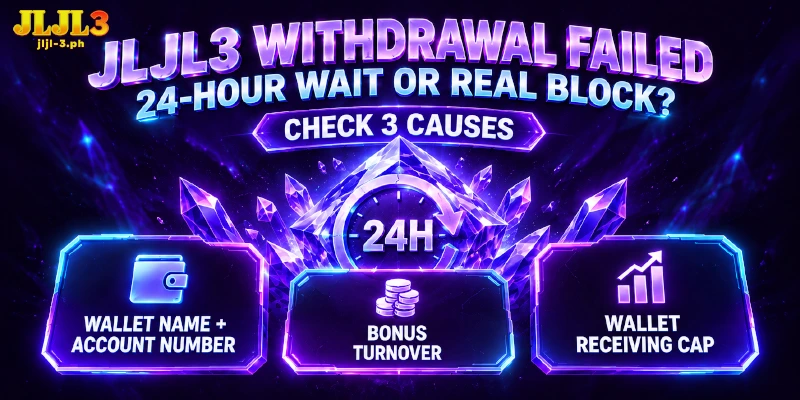
JLJL3 Withdrawal Failed: Tell a Real Failure From the 24-Hour Wait, Then Find the Side That Blocked the Request and Know When Support Takes Over

A JLJL3 withdrawal failed message and a payout still on the way look the same from your side, yet only one of them needs a fix. We give every request up to 24 hours. When a block stops one, the cause sits in the wallet name or an unfinished bonus on the JLJL3 side, or in the receiving cap that GCash or Maya sets on yours.
How to Tell JLJL3 Withdrawal Failed From a Request Still Inside 24 Hours
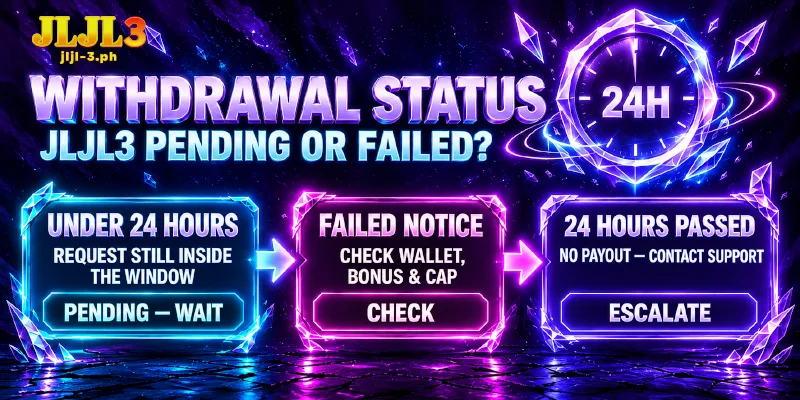
Our Withdraw tab prints Withdrawal Time: 24 hours, which is a ceiling and not a promise of speed. After you press Submit, a request younger than 24 hours is still inside that window, and one older than 24 hours with no payout belongs with support.
The table sorts the three situations by what your screen shows and how long ago you pressed Submit.
| What You See | Meaning | Your Next Step |
|---|---|---|
| Under 24 hours since Submit, no failure notice | The request is pending inside the Withdrawal Time window | Wait; nothing on the Withdraw tab needs changing yet |
| A failed JLJL3 withdrawal notice at any point | The request has failed, whatever the clock says | Check your balance, then run the three checks below, in order |
| 24 hours since Submit, no payout, no notice | The request has outrun the stated time | Contact support with the details listed at the end |
Any failed JLJL3 withdrawal outranks the clock, because a JLJL3 withdrawal error means the request stopped for a cause you can find. The next three sections run from the check every request faces, the wallet name, to the two that depend on your situation, the bonus you hold and your wallet’s profile.
Check That Name on Card and Account Number Match the Wallet
Every request lands in the wallet you linked, so a mismatch there ends in a JLJL3 withdrawal failed notice before any other check matters. Link E-wallet asks for Name on Card, which must be your full name exactly as GCash or Maya holds the account, and for the wallet’s Account Number.
An incorrect receiving account number is one of the two reasons the Withdraw tab lists for a failed request. Open Account Management and compare the digits against your e-wallet app, one by one.
Name on Card needs the same care: a nickname, a dropped middle name or a swapped order is not your full name. A wallet registered as Maria Santos Cruz does not match a Name on Card of Maria Cruz, so read the name in your wallet app and copy the spelling exactly.
Editing carries a price if you took First Deposit, the new-member bonus on your first deposit. If you change the GCash name or number after the bonus lands, we deduct the bonus and the profit and return your principal, and we apply the same deduction when your member name and your GCash name do not match.
Because the deduction follows the edit, the order matters: compare Name on Card and Account Number with the e-wallet app first, and write to support before changing either field when First Deposit sits on your account.
Your Bonus Sets the Turnover and the Amount You Can Withdraw
Each bonus on your account carries a separate turnover, the total you must bet before the bonus can be withdrawn, and unfinished turnover ends with a failed JLJL3 withdrawal however correct your wallet details are. The table lists the bonuses whose turnover we state, ordered from 6x down to 1x.
| Bonus | Turnover | Worth Knowing |
|---|---|---|
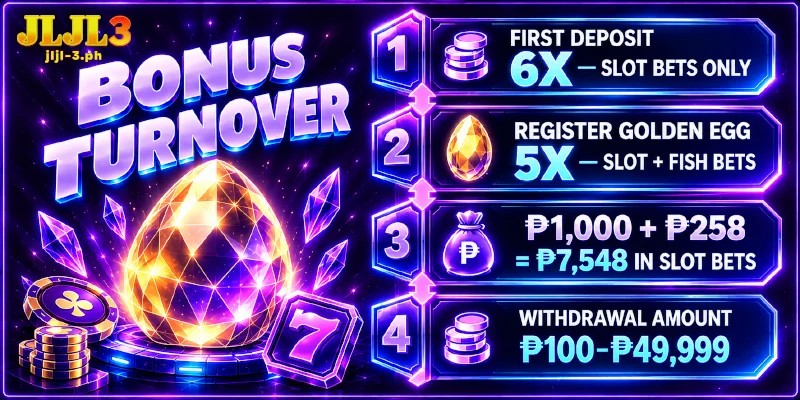
| First Deposit | 6x | Slot bets only; Fish and Live bets do not reduce the 6x |
| Register Golden Egg | 5x | Slot and Fish bets; the bonus amount sets the withdrawal band |
| Telegram Coupons | 5x | A higher bar than the 1x bonuses below |
| 1% Deposit Bonus, Daily Deposit Cashback, Lucky Wednesday, VIP rewards, App ₱58, Super Ace Lucky Bet | 1x | A ₱888 Daily Deposit Cashback needs ₱888 in bets |
Check which bonus you hold first: First Deposit comes from the New Member Bonus Up To ₱258 option under Choose Promotion when you deposit, and Golden Egg comes from the register egg voucher in Reward Center.
First Deposit counts the deposit and the bonus together, so ₱1,000 plus the ₱258 bonus needs (1,000 + 258) × 6 = ₱7,548 in Slot bets before the bonus withdraws. Golden Egg adds an amount rule: a bonus under ₱150 withdraws only within ₱100 to ₱150, and from ₱150 the minimum request is ₱150.
Whatever you hold, Withdrawal Amount accepts ₱100 to ₱49,999 per request, so an amount outside that range needs adjusting before you press Submit. No bonus on the account means no bonus turnover to clear, and the check moves on to your wallet’s caps.
Your Wallet Has Receiving Caps Separate From JLJL3’s ₱49,999
GCash and Maya each set limits by profile, and those limits cap the money arriving in your wallet whoever sends the money. The ₱49,999 per-request maximum belongs to the Withdraw tab alone, so the wallet’s caps in the table can leave a failed JLJL3 withdrawal even though the amount sits inside that maximum.
| Wallet and Profile | Cap Listed | Against a ₱49,999 Request |
|---|---|---|
| GCash Basic (not verified) | Wallet holds ₱10,000; receives ₱5,000 a month | Cannot take that amount |
| GCash Fully Verified | Wallet holds ₱1,000,000; receives ₱1,000,000 a month | Far above the request |
| Maya Basic | Wallet balance ₱50,000 | Fits only when the balance is nearly empty |
| Maya Upgraded | Wallet balance ₱100,000 | Fits beside a balance of ₱50,000 or less |
GCash puts every wallet you have not verified on the Basic profile, and a reached limit stays until the first day of the following month resets the cap or you upgrade the profile. Maya’s Upgraded profile asks for a video selfie, a valid ID, a verified address and verified personal information.
Wallets that worked before can still leave a JLJL3 withdrawal failed, because GCash downgrades a Fully Verified account to Basic when you miss the required information update. In the GCash app, Profile then Verify Now starts verification with one government ID and a selfie scan, and GCash answers by SMS after 7 days.
Limits complete the pair of reasons named for a failed request, and both wallets can revise their figures, so read your wallet’s current limits in the app before you count on the numbers here.
Basic GCash profiles receive ₱5,000 a month while one JLJL3 request reaches ₱49,999, so smaller requests only fill the same month’s cap sooner. The profile upgrade raises that cap, and because GCash answers a verification request after 7 days, start the upgrade before you submit the next request.
Contact Support Once 24 Hours Pass or a Corrected Request Fails Again
Two triggers hand a request to support: 24 hours since Submit with no payout, or a corrected JLJL3 withdrawal failed a second time. The Customer Service button on every page opens live chat, the Telegram channel named JLJL3- 24/7 Support runs day and night, and [email protected] takes email.
Send these four facts through whichever channel you pick, and keep your Transaction Password, the code that approves each money action, out of the message:
- Your username and the Withdrawal Amount you entered
- The time you pressed Submit and a screenshot of any notice on your screen
- The Name on Card and Account Number of the linked e-wallet
- The checks you already ran, so support starts from the cause that remains
FAQ
Three questions stay open after the checks above, and each one is about what you can still change once a request has failed.
Can a Failed GCash Payout Go to a Bank Account Instead?
No. JLJL3 pays withdrawals to GCash and Maya only, so no bank account is available. After you fix the cause of a failed JLJL3 withdrawal, submit the request again to either e-wallet.
Does JLJL3 Ask for ID Uploads Before Releasing a Withdrawal?
No. Verification means linking an e-wallet in your own name and setting a Transaction Password, so a missing document cannot be the reason a request fails. The government ID in the GCash and Maya upgrade steps goes to those wallets, not to JLJL3.
Can I Link a Second Wallet When the First One Keeps Failing?
Yes, Link E-wallet holds up to five wallets. Each one needs your full name on Name on Card and a correct Account Number, so a second wallet with the same mismatch ends in the same failed JLJL3 withdrawal. If First Deposit is on your account, ask support before adding one.
A Failed Request Comes Down to Three Checks and One Clock
When a failed JLJL3 withdrawal shows up, or 24 hours pass with no payout, the cause is one of three: a name or number mismatch, a bonus with turnover left, or a wallet cap below the request. Work through them in that order and you either find the block or hand support a request with the three causes ruled out.